ProtoBall Archive

Devlog

Back to Home
Dev Log #006

ProtoBall dev-0.0.8

The dev-0.0.8 development line is a large PhysicsLab milestone. It combines a refactored editor architecture with new ragdoll, structure-builder, Demo and simulation-presentation workflows.

Issues included

The branch includes work associated with #116, #119, #121, #122, #123, #126, #127, #131, #132, #133, #135, #136, #137, #138, #139, #142, #143, #144, #145, #146 and #149.

What changed

  • #116 — PhysicsLab refactor. The editor work was split into clearer UI, action, command, session, scene-view and renderer boundaries, with shared preview-rendering contracts and more predictable frame coordination.
  • #119 — Ragdoll joint failure. Joint failures now support staged angular release, balance shutdown, physical constraint breaking, detached-island tracking and finite spine and neck limits, while keeping PBTRAJ replay compatibility.
  • #121 — Simulation saves. Ctrl+S now creates timestamped, collision-safe PBTRAJ files while preserving the existing Save As flow.
  • #122, #123, #127, #132, #133 and #135 — Builders and structures. Builder previews gained pinned placement, transform editing and non-mutating confirmation; Box-Truss Beam creation, joint/endpoint selection, truss-joint handling and multi-structure saving were expanded across the editor and trebuchet examples.
  • #126, #131 and #136 — Editor interaction and ragdolls. Selection now resolves persistent structure and ragdoll identities across instances, restores keyboard shortcuts and gizmo behavior, and improves ragdoll attachment, camera framing and presentation synchronization.
  • #137, #138 and #139 — Physical behavior. Trusses gained tensile plastic yielding through the existing damage, energy and replay paths, alongside balance and trebuchet behavior updates.
  • #142, #143 and #144 — Demo edition. Demo mode now has a dedicated launcher, staged assets, simplified contextual UI, visible complexity limits and more reliable maximized startup.
  • #145 and #146 — Simulation presentation and bounds. Compact stored-versus-dissipated energy presentation was added, followed by a finite Demo world with rebound walls, a ceiling, authored-bounds validation and a visible 50 m × 50 m footprint.
  • #149 — Truss visualization. Structure colors were standardized and live Simulation trusses now transition from ivory through yellow to orange according to force utilization, while plastified and damaged trusses remain red.

Together these changes make the editor easier to extend, make physical failures and energy behavior more legible, and give the Demo edition a bounded, reproducible environment for showcasing ProtoBall.

Dev Log #005

Ragdoll Physics Progress

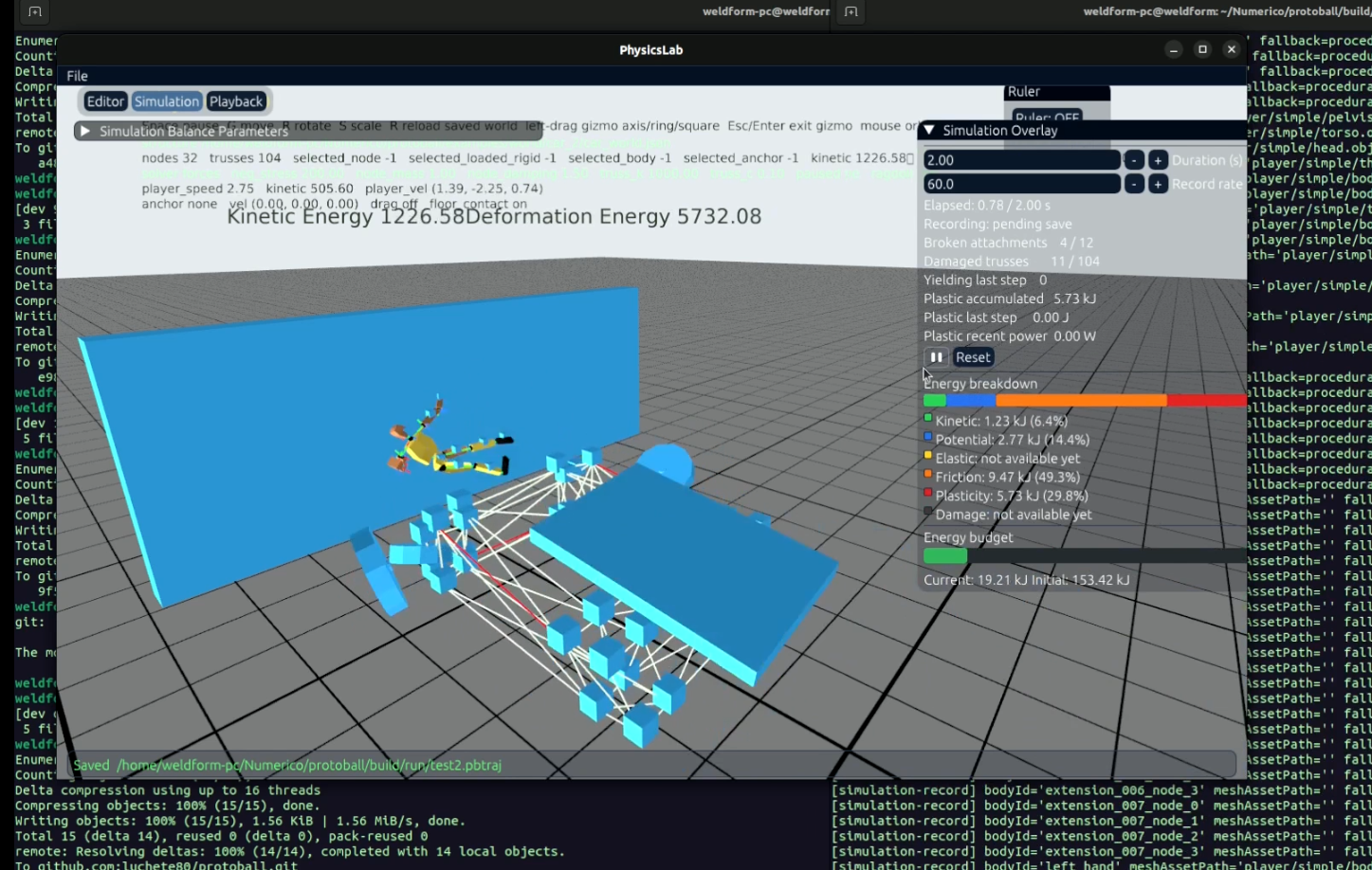
ProtoBall simulation showing a ragdoll and its physical systems

I've been making progress on the ragdoll and energy systems in ProtoBall. The latest work is focused on making ragdolls react more naturally to impacts while keeping the simulation's energy behavior consistent.

What's New

  • Breakable joints. Ragdoll joints can now be tuned to break under stress, making impacts and failures behave more naturally.
  • Ragdoll balance. The balance controller has been improved so the ragdoll can respond more convincingly to disturbances.
  • Initial ragdoll velocity. Ragdolls can now start with an initial velocity, making it easier to reproduce throws, falls and other moving situations.
  • Permanent deformation. The simulation is now being extended to preserve deformation after the forces causing it are gone.
  • Friction energy. Friction energy is now being tracked as part of the simulation's energy breakdown.

Coming Up

The next focus is the ragdoll injury system, which will connect physical impacts and joint failures with the ragdoll's injury state.

Dev Log #004

A Lot of New Systems

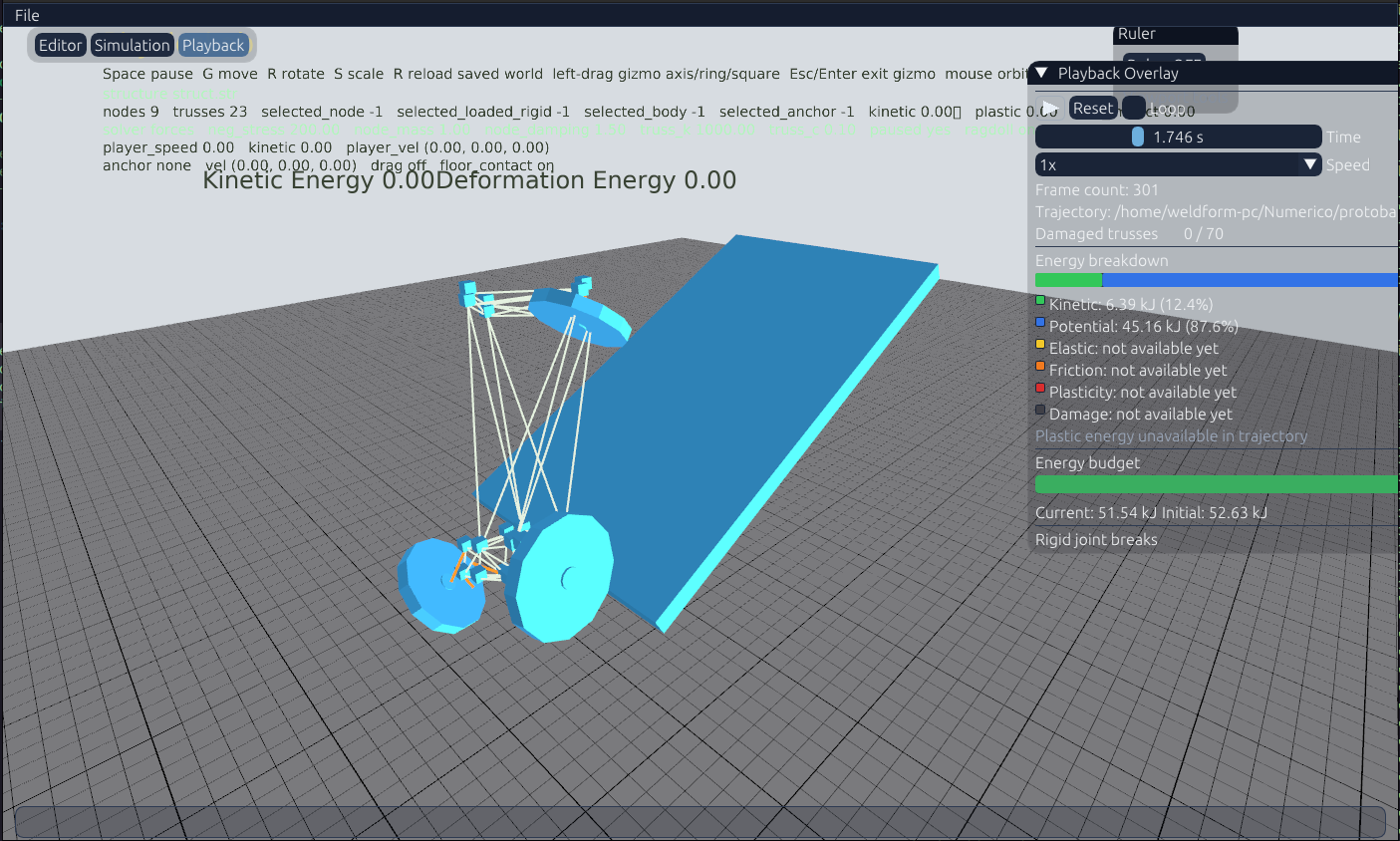
ProtoBall simulation showing a rigid-body structure with an energy breakdown overlay
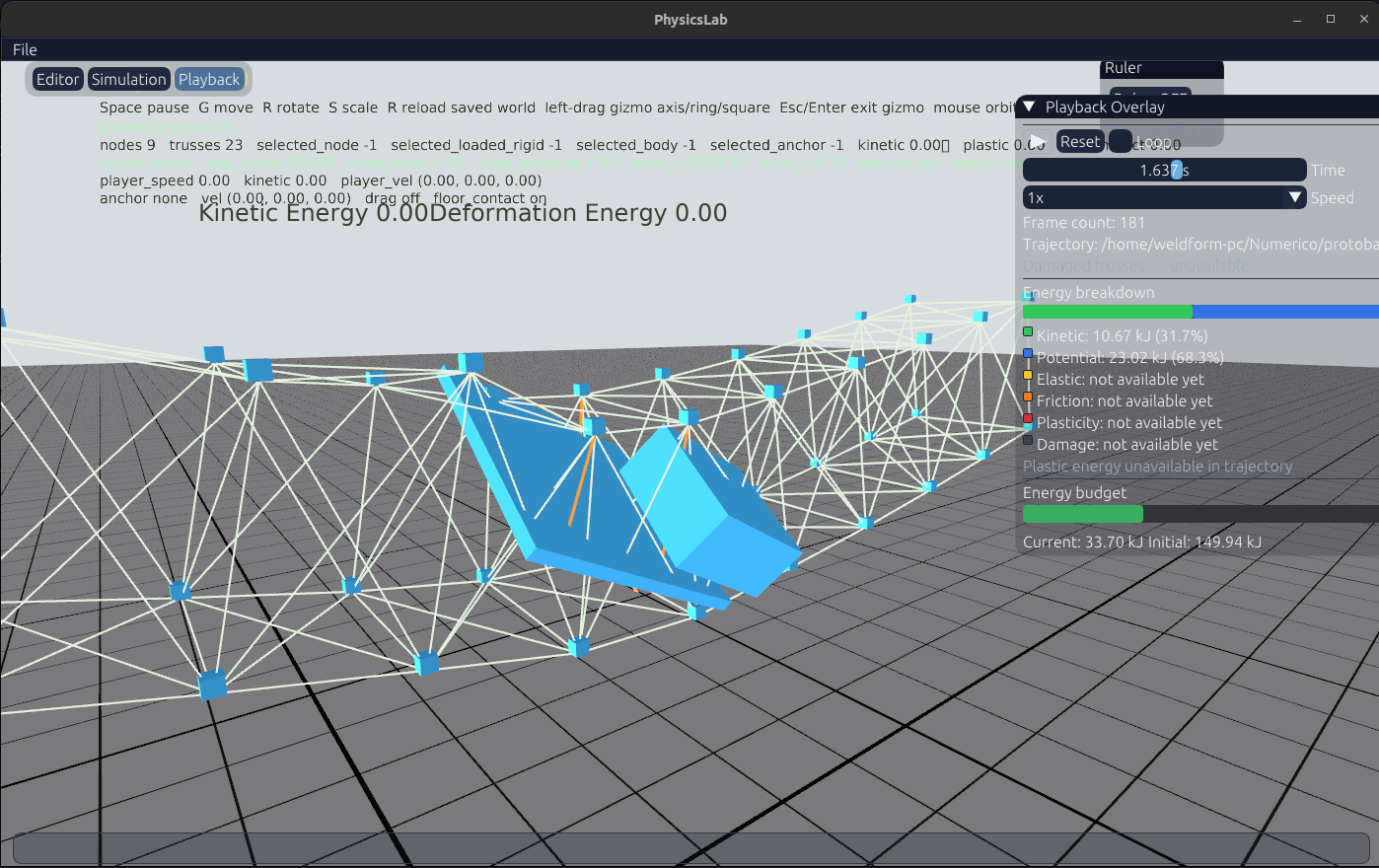
ProtoBall simulation showing a deformable structure and energy distribution overlay
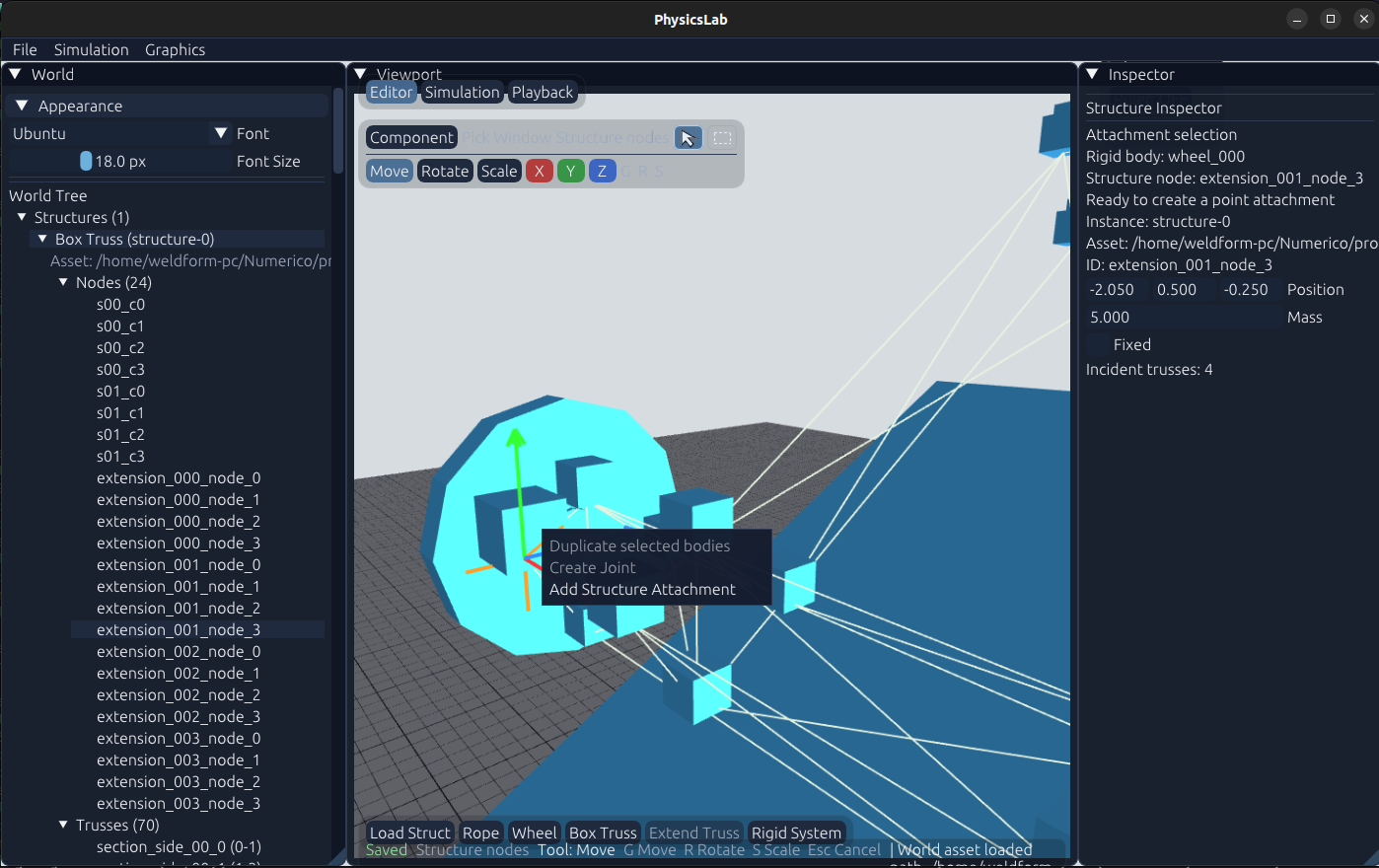
ProtoBall editor showing structure selection, transform gizmos and the inspector

A lot of new features have landed in ProtoBall recently. This update covers several improvements to the physics systems and a major step forward for the editor.

What's New

  • Rigid-body attachments to deformable structures. Rigid bodies can now be connected to structures and interact with the world. These attachments are not breakable yet, but breakable attachments are planned for a future update.
  • Energy distribution and budget tracking. The interface now includes potential and kinetic energy panels, along with an energy budget showing current energy versus initial energy. Friction, elastic, plastic and wreckage energies are planned next.
  • A much-improved editor. Navigation now feels more like Blender, with move, rotate and scale gizmos, plus separate object and component selection workflows.
  • Breakable joints between rigid bodies. Joints can now fail during simulation, making it possible to build systems that react to stress and impact.
  • Physics component builders. Wheel-and-axle and rope builders are now available, with many more components planned.

These systems are bringing ProtoBall closer to its goal: a physics playground where complex machines and structures can be assembled, simulated and inspected directly inside the editor.

Dev Log #003

Editor Progress and Simulation Trajectories

Over the last few days, most of the work has moved into the physics editor. The editor is becoming a practical place to assemble, inspect and modify physical systems instead of relying on hand-edited files.

Current editor progress includes:

  • Editing joints directly from the world tree and editor panels.
  • Creating, selecting and editing rigid bodies, including their dimensions, position and rotation.
  • Loading, copying and editing rigid systems and their connected bodies and joints.
  • Working with ragdolls and anchors as part of the same world-editing workflow.
  • Separating editor and simulation concerns so changes can be tested in play and pause modes.

Recording Simulation Trajectories

I'm also adding the first pieces of a simulation trajectory recorder and player. Simulations can now produce structured snapshots of their state, and the new trajectory pipeline is being built to record sampled frames, store metadata and object state, and read those trajectories back for later playback and analysis.

This should make it much easier to reproduce interesting physical moments, compare simulations and inspect behavior without having to run the entire scenario again. The recorder and player workflow is still in development, but the underlying snapshot and trajectory format is now taking shape.

Dev Log #002

Major Refactoring and the Core Simulation

A lot has changed over the past few days. I've been doing a major refactoring of ProtoBall's core architecture.

The main goal is to clearly separate the editor, simulation and rendering systems. This makes the project easier to extend while keeping the physics simulation independent from its visual representation.

The simulation is also becoming much more consistent. Instead of treating every feature as an isolated experiment, ProtoBall is evolving around a set of well-defined physical systems:

  • Rigid body assemblies.
  • Deformable structures.
  • Procedural ragdolls.
  • Shared physics and editing infrastructure.

The ragdoll system is being reorganized as well. Rendering is being separated from the skeletal and physical representation, making it easier to change the visual model without affecting the simulation. The balance controller is also becoming part of the core ragdoll system.

Building the Editing Tools

My current focus is creating a solid workflow for building and connecting physical systems directly inside the editor.

I'm mainly working on structure anchors, joints, connections and their editing tools. The goal is to make it easy to assemble interesting systems from simple physical components such as:

  • Ropes.
  • Chains.
  • Springs.
  • Articulated rigid bodies.
  • Rigid and deformable structures connected together.

ProtoBall is gradually becoming a physics playground where complex behavior can emerge from simple components. Building solid editing tools now will make experimenting with machines, ragdolls and deformable structures much easier in the future.

Dev Log #001

Building ProtoBall's Procedural Animation Tools

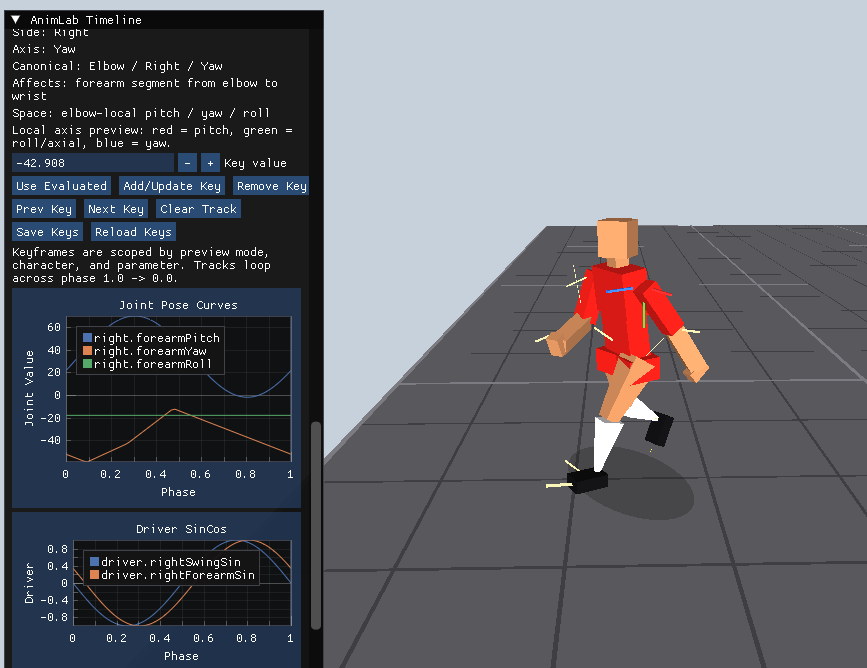
AnimLab editor screenshot showing ProtoBall procedural animation tooling

Today I'm sharing the first look at AnimLab, the animation tool I'm building for ProtoBall.

The goal isn't to create traditional baked animations. Instead, I'm building a workflow where authored keyframes, procedural animation and inverse kinematics work together.

At the moment, AnimLab lets me:

  • Edit animation keyframes for individual joints.
  • Visualize animation curves in real time.
  • Preview procedural locomotion.
  • Iterate quickly on player poses.
  • Test inverse kinematics directly inside the editor.

Everything is written in C++, using ImGui, ImPlot, and GLFW.

This is only the beginning, but having dedicated tools already makes iteration much faster than tweaking values directly in code.

Current Roadmap

Rather than completing the whole character skeleton first, I'm focusing on building a solid animation pipeline.

The next milestones are:

  • Improve the core animation workflow.
  • Add only the joints needed for kicking and dribbling.
  • Implement the first procedural kick.
  • Build a small training mode to test movement and ball interaction.
  • Integrate everything back into the gameplay runtime and AI.

The long-term goal is to create football players that move naturally through a combination of authored animation, procedural systems and physics, not by relying exclusively on pre-baked animations.

This is just the beginning.